Myriad

Planning and focus

Plan the day in one click, add a task in one sentence, and see where your attention went.

Try it

Plan a week right here.

Drag a task onto the grid, switch to the family profile, tick a habit.
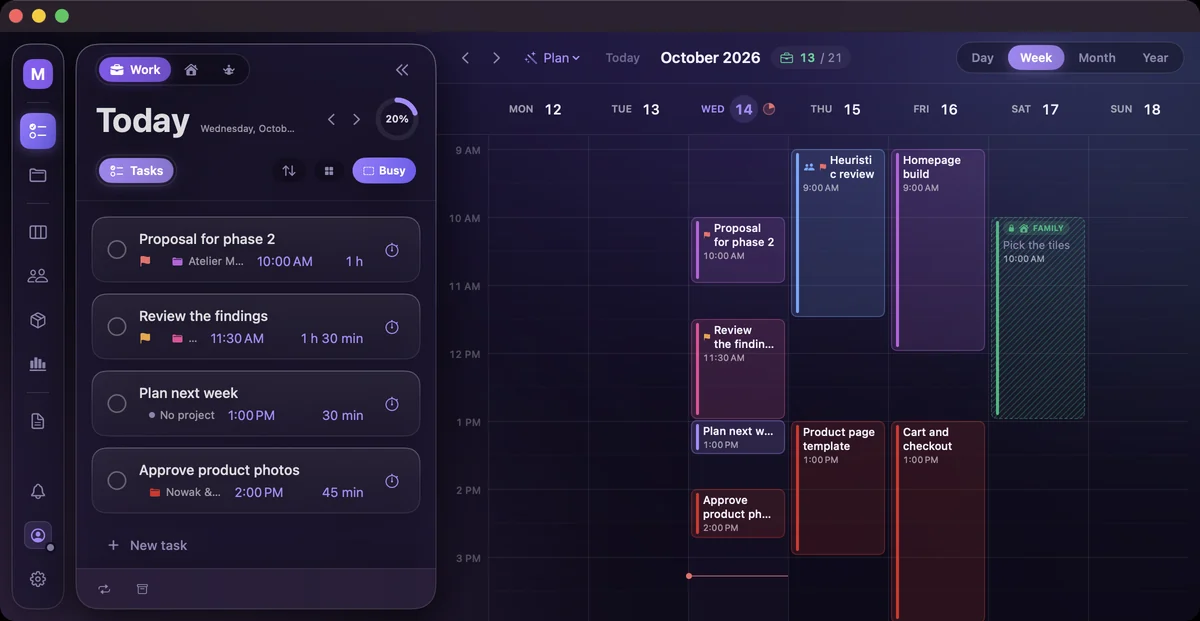
calendar.myriadself.com

Loading…

Real app, sample data.

Plan

Planning takes longer than the first task.

Plan gives each loose task an hour that suits it, and nothing moves until you accept.

What changesOne click in the morning, and whatever doesn't fit is named.
  • The right task in the right slot. Deep work goes into your deep-work band first.
  • The week from your budgets. 40 hours a month for a client means about 9 a week.
  • No crumbs. No twenty-minute slivers across the day.
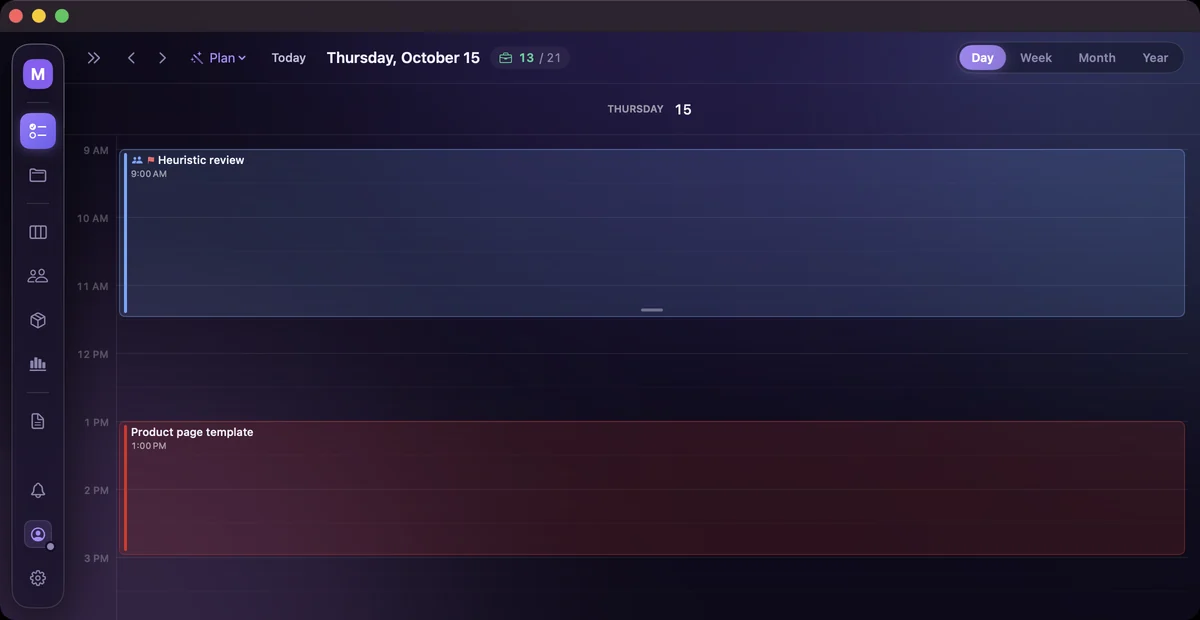
Thursday, October 15 before planning: Heuristic review at 9 AM, Product page template at 1 PM, and loose tasks waiting for an hour

Press Put in the calendar and the block is yours.

Quick add

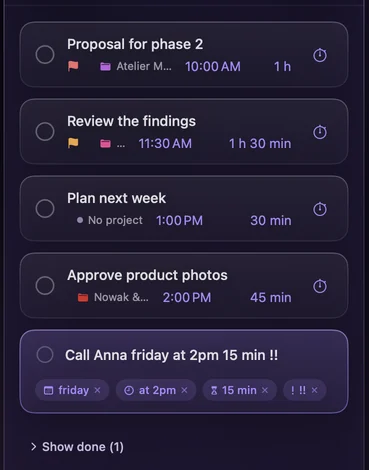
One line instead of a form.

Type it the way you'd say it, and the app reads the day, hour, length and priority.

What changesA task is in the calendar in the time it takes to say it.

  • Rules, not guesswork. "Top 10 ideas" stays in the title.
  • Every reading can be undone. Tap a chip and its words go back.
  • Priority in one keystroke. ! is low, !! is medium, !!! is high.
Quick add: “Call Anna friday at 2pm 15 min !!” with chips for Friday, at 2pm, 15 min and priority

One line in, four chips out.

Timer and focus

You guess how many hours each client got.

Start a stopwatch or Pomodoro on a task, and each session lands on its project and client.

What changesBudgets, client reports and your real hourly rate count themselves.

  • Pomodoro that keeps to the clock. It wakes in the right round, work or break.
  • A focus score from 0 to 100. Based on how much of the hour went to work.
  • A word next to the number. Deep focus, Not bad, Choppy or Scattered.
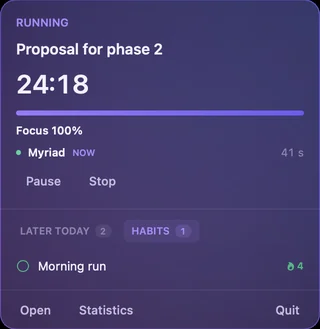
A task with a Pomodoro running, about 24 minutes left
On the task
The menu bar panel: Proposal for phase 2 running, the time left, Focus 100%, Pause and Stop, and the Habits tab below
In the menu bar
Mac · iPhone · Apple Watch

Grow the business and keep evenings for family.

Try every feature free for seven days, alone or with your team.

Already have an account? Sign in

Ask for a feature  ·  All apps