Try it
Your projects and numbers, live.
Move a card, check the forecast, see what the month brings in.
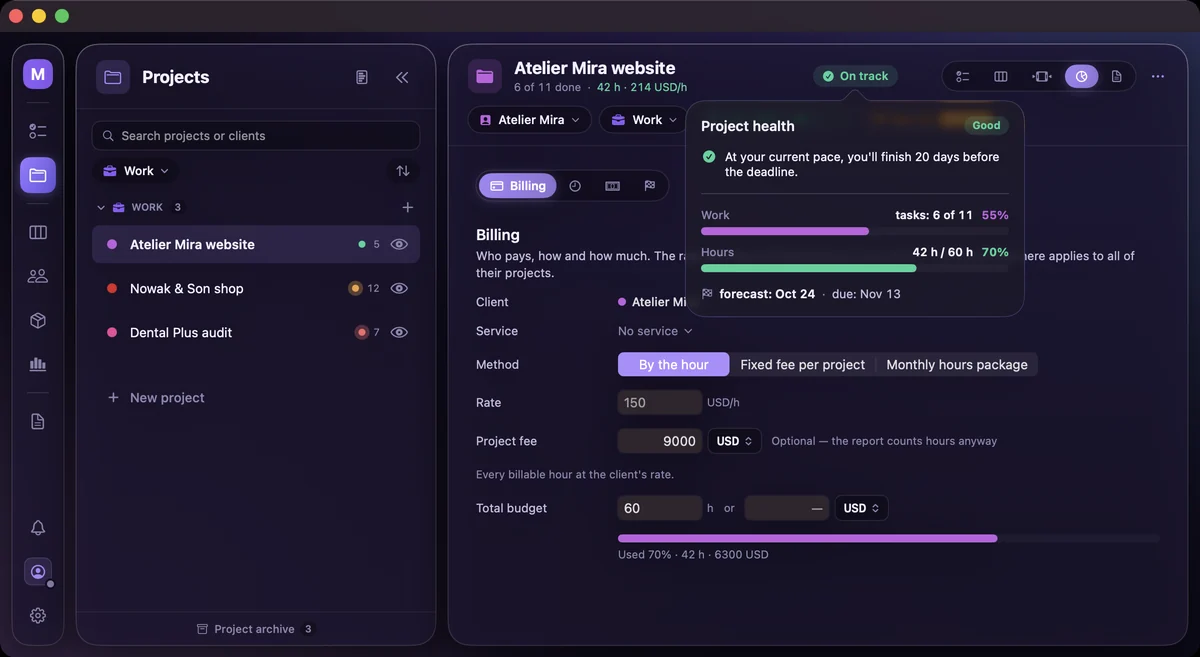
Loading…
Real app, sample data.
Projects with hour budgets and a deadline forecast, clients with their lifetime value, and the numbers behind your work.
Move a card, check the forecast, see what the month brings in.
Loading…
Real app, sample data.
Give a project a deadline and an hour budget, and the app says whether the open work fits.
What changesOn track, at risk or late, while there's still time to act.
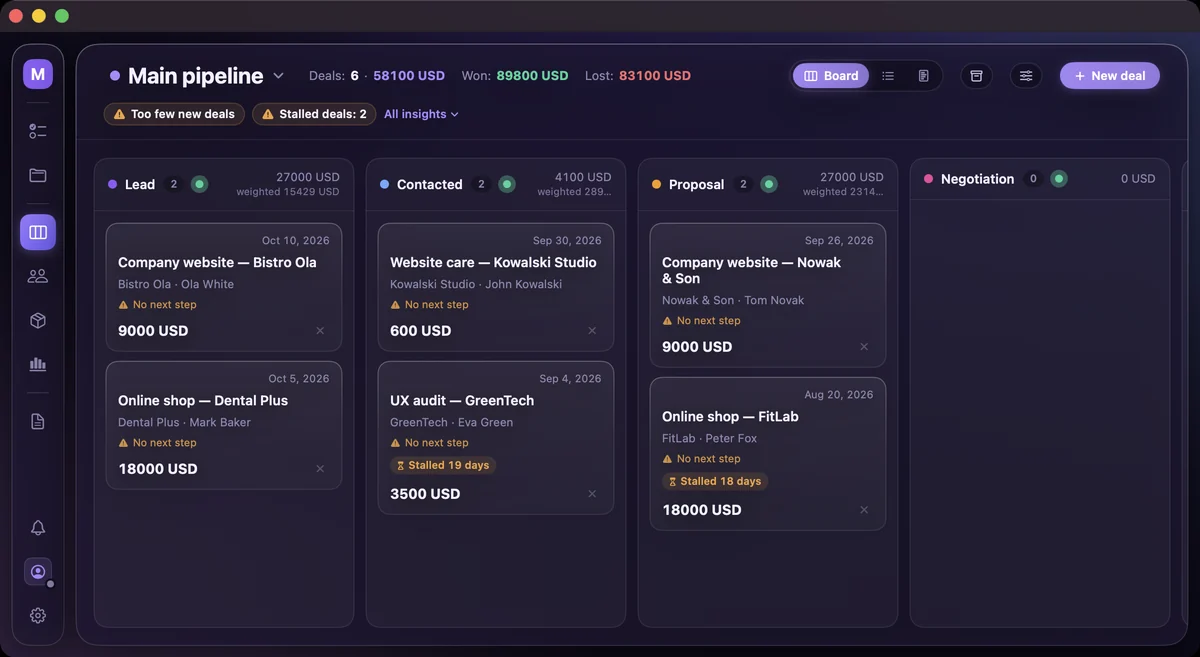
Deals move through your own stages, and a goal shows if you're ahead for this point in the month.
What changesYou see a slow month in its second week.
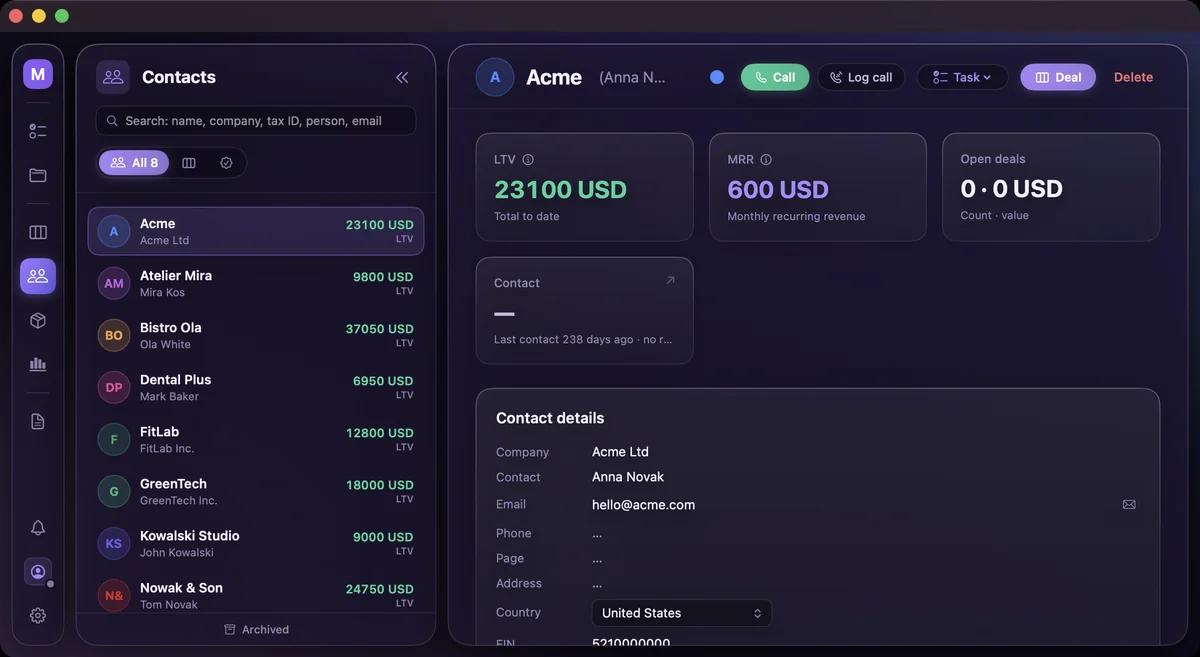
Every client profile adds up what the relationship has paid you so far and what comes in every month.
What changesYou raise prices or let a client go with numbers in hand.
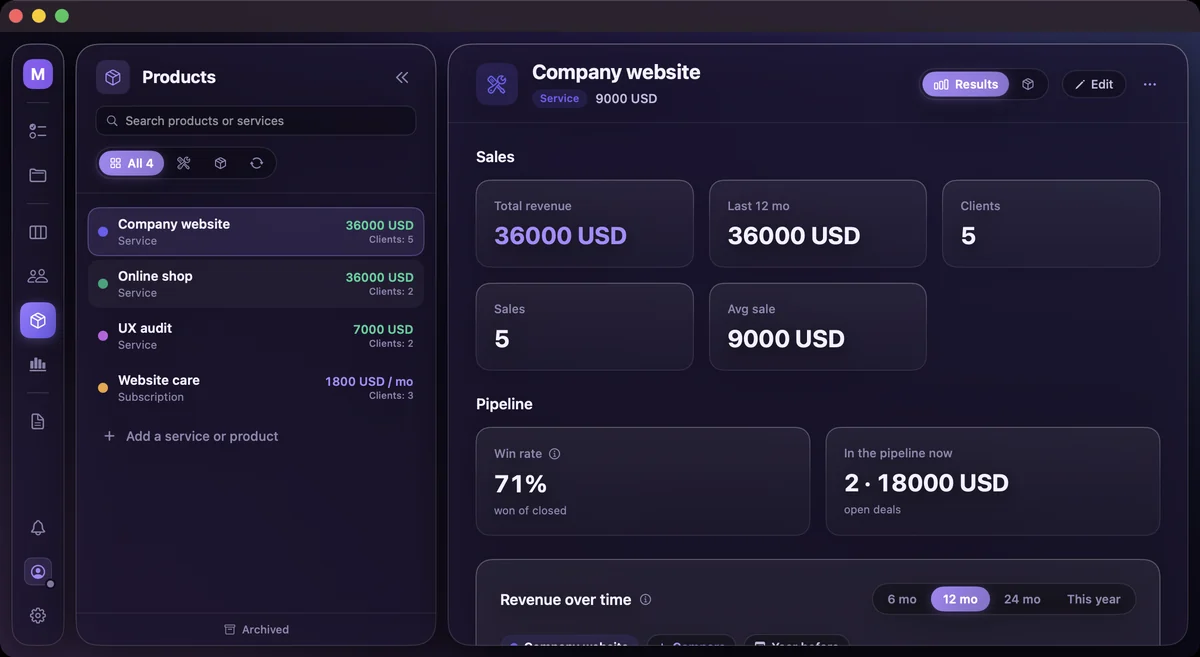
Each product and service shows its results month by month, next to the same period last year.
What changesYou put your time into what sells.
Green is good, red is bad, orange means keep an eye on it.
What changesOne look tells you where to act.
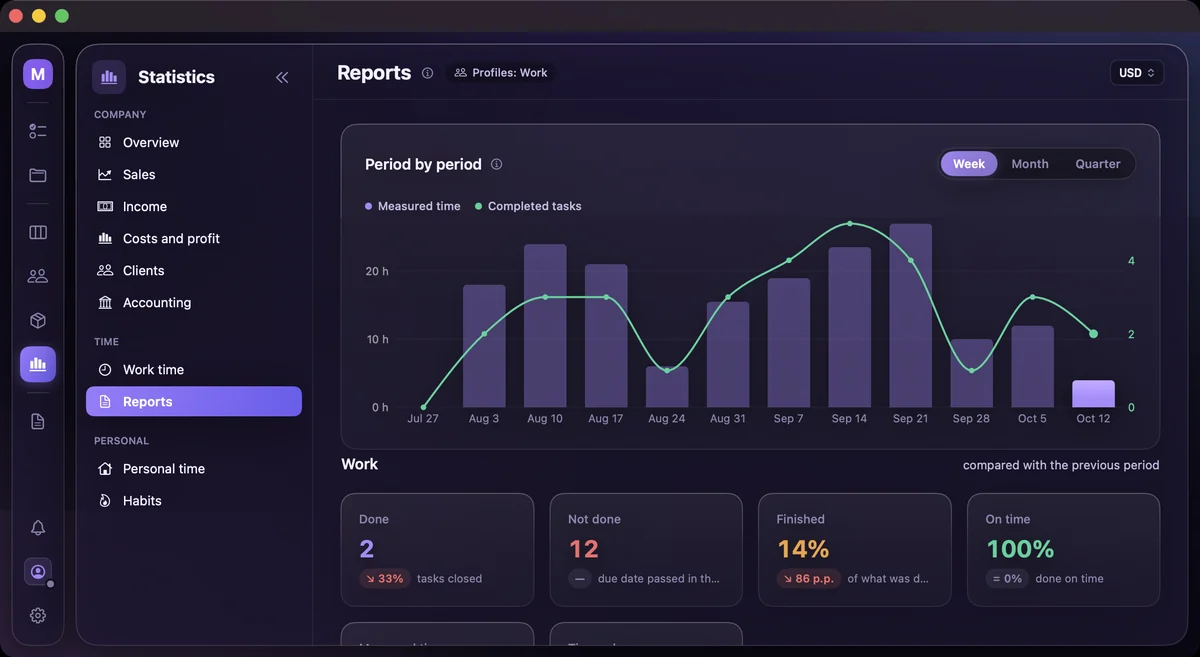
Every page uses the same colour logic.
Save a project's columns and tasks as a product template, and the next project starts from it.
What changesThe next project starts with the process that worked last time.

Projects in their categories, and a new one being added under Work.
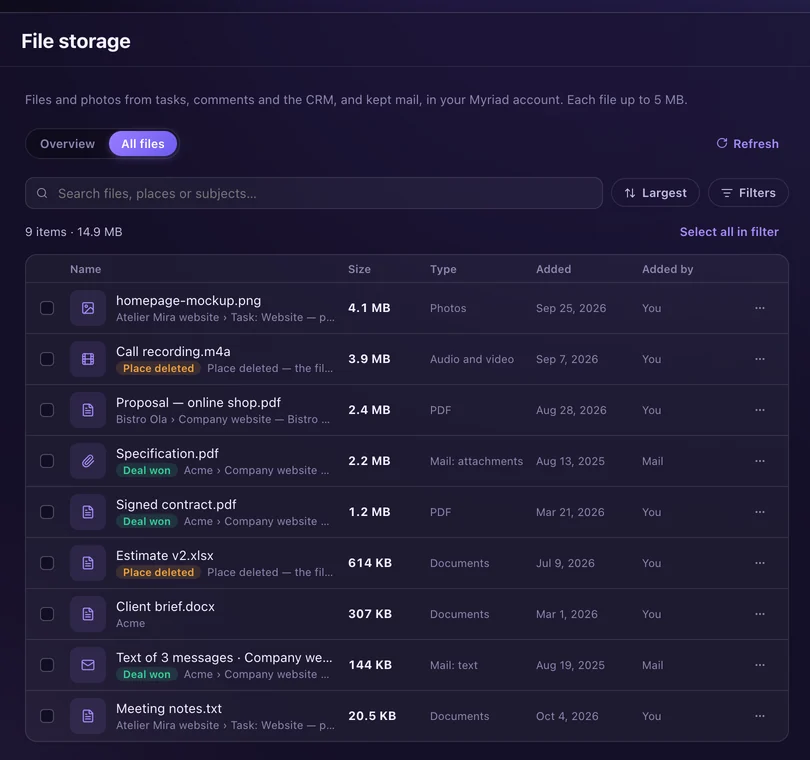
Attach files to tasks, comments, contacts and deals, and see them all in Settings.
What changesEvery file sits next to the task, deal or client it's about.
Try every feature free for seven days, alone or with your team.
Already have an account? Sign in


