Myriad

More from Myriad Self

Small, useful apps for the Mac from the same one-person company.

More from Myriad Self

Two Mac apps for the whole workday.

Myriad VoiceMac · download from this site
Out now

Typing every reply to a client eats the hour you meant to work.

Hold a key and talk, and the text lands at your cursor in any app.

What changesReplies, briefs and notes are written as fast as you can say them.

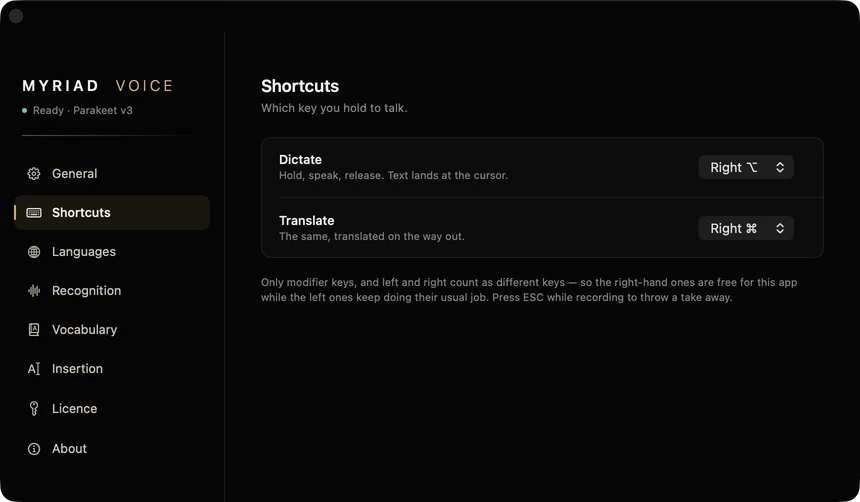
  • Right ⌥ dictates into any app where you can type, without losing what you had copied.
  • Right ⌘ translates what you said into the language you choose (macOS 26).
  • Recognised on your Mac, in 25 languages. Your voice is not uploaded.
7 days free, then from $19, once. No subscription. macOS 15 or later, Mac with Apple silicon. Early version, 0.1.
Myriad Voice settings: Dictate on the right Option key, Translate on the right Command key
Myriad Voice settings. Day to day it lives in the menu bar.
Myriad NotchMac · Mac App Store
Out now

You keep hunting for the file you had open a minute ago.

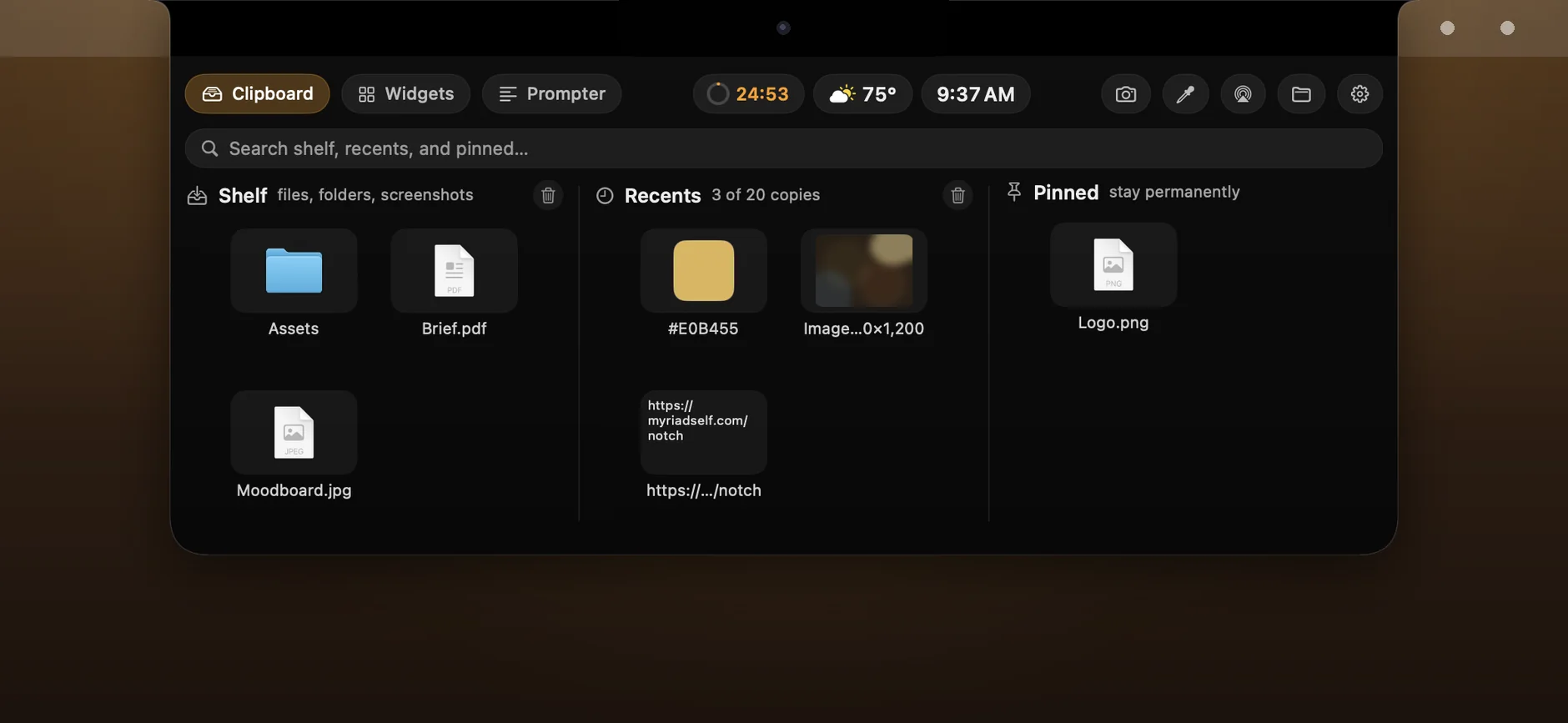
A shelf for files and your clipboard history under your Mac's notch.

What changesThe file and the text you copied are one move away, without digging through Finder.

  • A shelf for files. Drop them on the notch; drag one out and a copy lands. AirDrop from the shelf.
  • Your last 5 to 50 copies, plus items pinned for good.
  • Widgets in the pill: next meeting, weather, pomodoro, music, reminders.
Free download, 7 days free, then the Full Version once: $9.99 on the US App Store. macOS 14 or later. No account, no data collected.
Myriad Notch open under the notch: the shelf with files, recent copies and a pinned logo
Myriad Notch, open under the notch.